Process guide
Cancel your subscription
Time2 minutes
- Owner
DifficultyCareful
Stop your subscription in two taps, and know what happens to your hotel and your data.
Purpose
Section titled “Purpose”You no longer want to pay for the subscription, or the hotel is closing. Cancelling stops the next charge. You keep the access you paid for, and you can download your data.
Ingredients
Section titled “Ingredients”- Permissions: Only the Owner of the hotel sees the page Subscription. Managers and other roles do not.
- State: The subscription is active, in the free trial or overdue. If you want a copy of your data, you can download it before or after cancelling. An archived hotel has nothing left to cancel: the button is not there.
Expected result
Section titled “Expected result”The status says Cancelling and the page shows the day your full access ends. If you cancelled a yearly plan you paid in the last 14 days, the subscription ends today and you get a full refund.
-
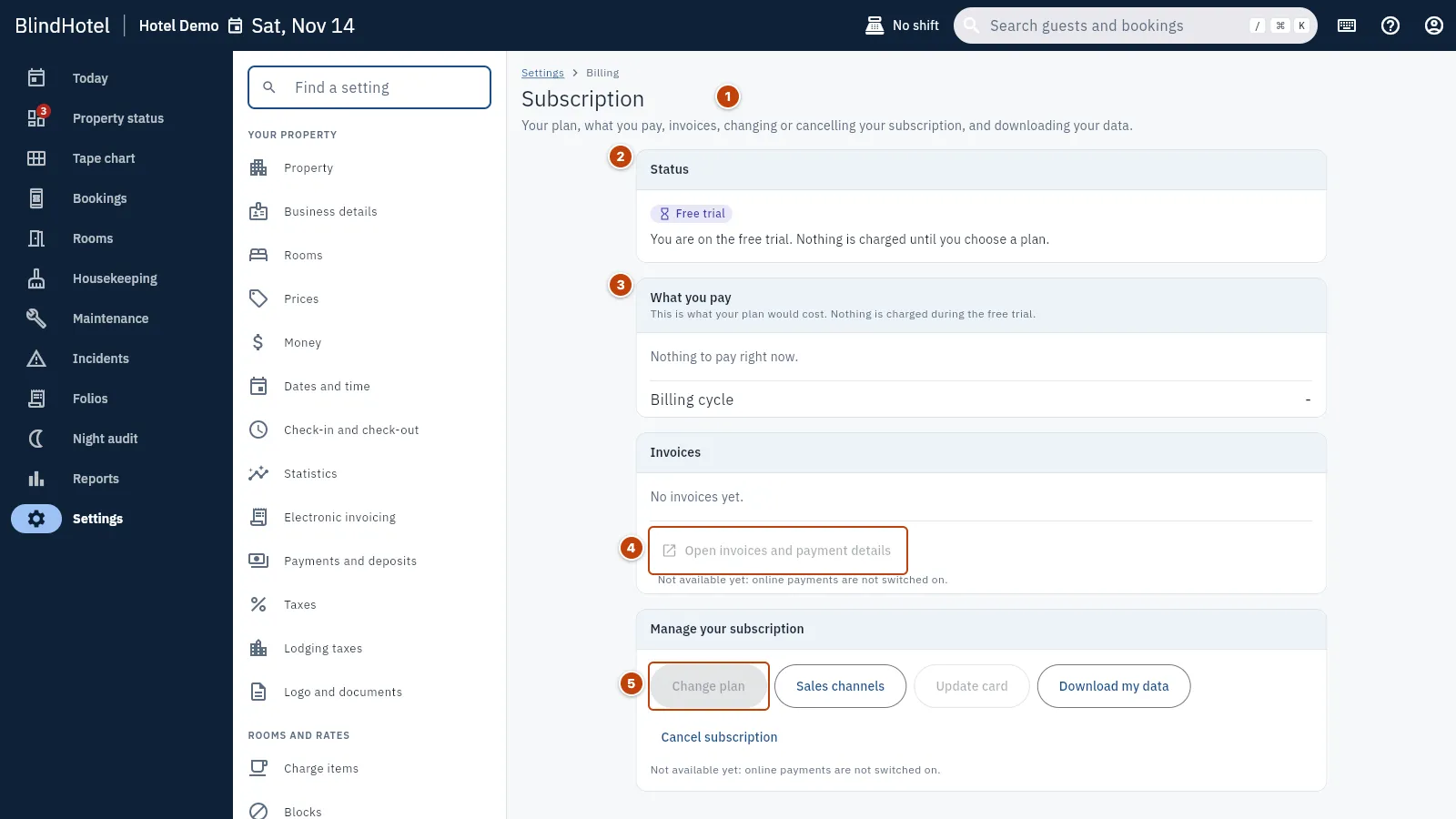
Open Settings, then Billing, then Subscription.
-
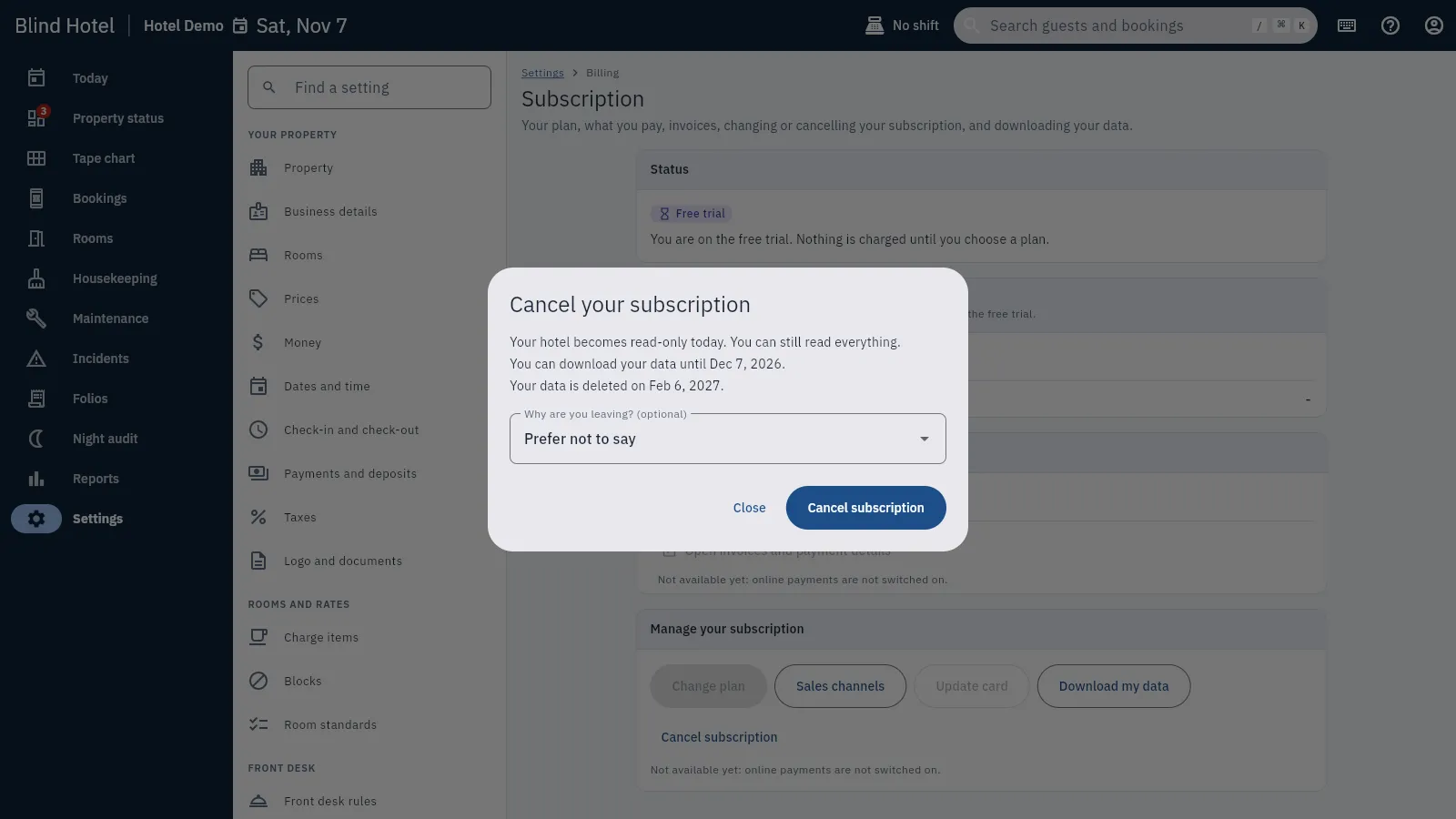
Tap Cancel subscription in the card Manage your subscription. A window opens.
-
Read the summary. It says until when you keep full access, until when you can download your data, and the day your data is deleted. A yearly plan paid less than 14 days ago also shows the amount of the full refund. On the free trial, as in the picture, it says the hotel becomes read-only today.
-
If you want, answer Why are you leaving? (optional). Choose a reason, or Another reason and write a few words. You can leave it empty.
-
Tap Cancel subscription in the window. This is the only confirmation.
-
The window says that your subscription is cancelled and until when you keep full access. Tap Close.
Check your work
Section titled “Check your work”The status chip says Cancelling and the card Status shows the last day of full access. The button Resume subscription appears in the card Manage your subscription. If the app says “Verify with your authenticator app first.”, give your two-step code and tap Cancel subscription again.
What next
Section titled “What next”- Changed your mind? Tap Resume subscription before the last day. The subscription renews as usual.
- Want a copy of your data? See Download your data.
- Is the hotel already archived? It is closed and the button Cancel subscription is not shown. You can still download your data, or pay with Pay to bring the hotel back. Paying brings the hotel back exactly as you left it.
- Read the page in detail. See The Subscription screen.
Considerations
Section titled “Considerations”If your connection drops while you confirm, the window offers Check again. It asks the server again with the same request, so you are never cancelled twice.
If nobody pays and the days pass, the hotel is archived: it is closed, and only Subscription in Settings opens. Your data is kept until the deletion day, and the page shows that day. Our support team can sometimes move the deletion day a little later if you ask.