Process guide
Housekeeping supervisor
Time10 minutes to plan, then the whole day
- Housekeeping
DifficultyEasy
The supervisor’s day: plan the cleaning, share it among the attendants, check the rooms they finish and follow the day.
Purpose
Section titled “Purpose”Every room an arrival needs is clean in time, and the work is shared fairly among the people on shift.
Ingredients
Section titled “Ingredients”- Permissions: the Housekeeping supervisor role.
- Information: who is working today.
- State: your attendants have an account with the Housekeeper role. Without at least one, Plan the day has no one to give rooms to. See Invite your team.
Expected result
Section titled “Expected result”Every task of today has a person. The attendants see their rooms in My day, and you follow the day on the board.
-
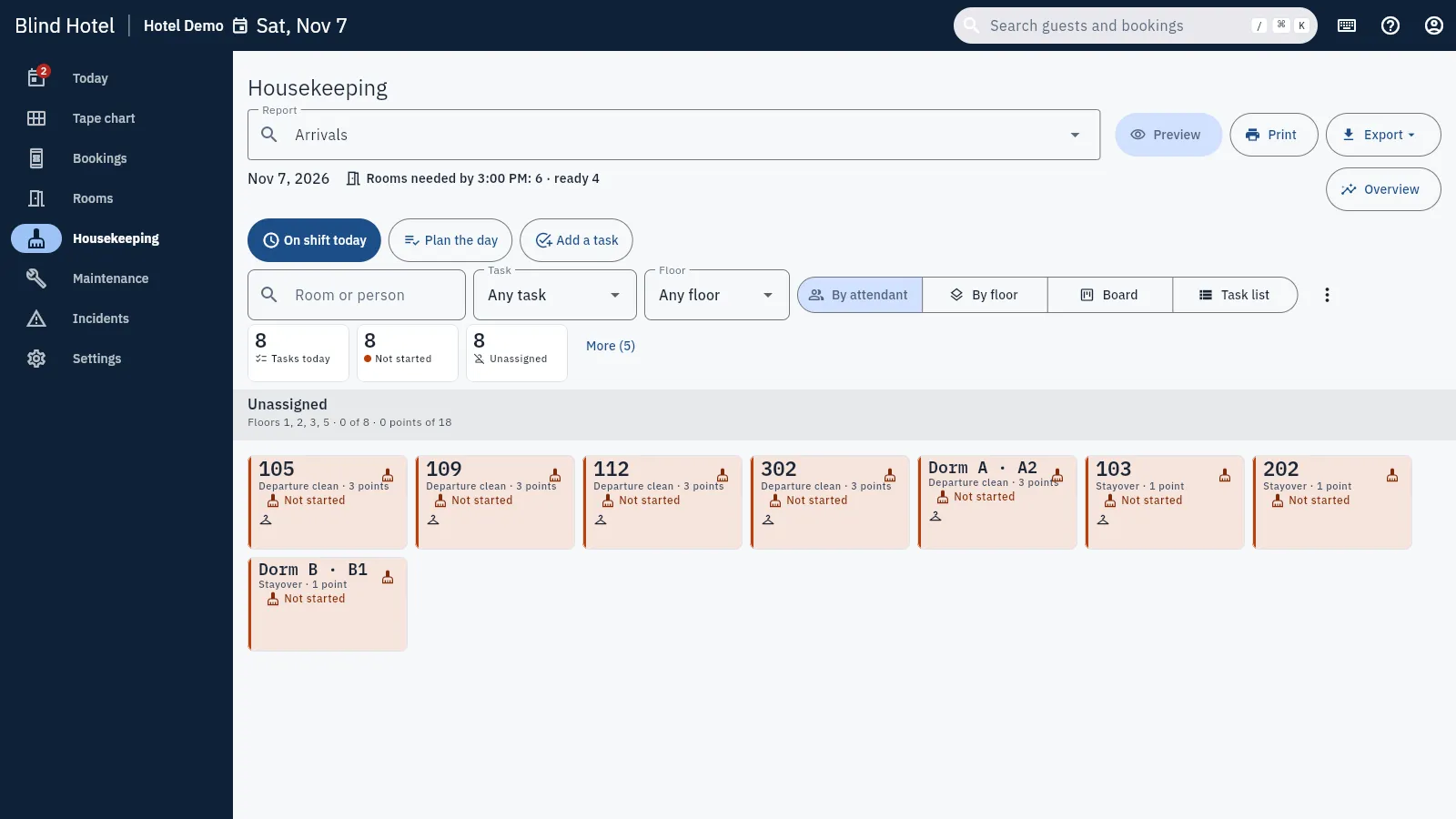
Sign in. You land on Housekeeping. Read the line “Rooms needed by 3:00 PM: 6 · ready 4”: the rooms the arrivals need, against the rooms that are ready.
-
Tap On shift today. Tick the people who work, set From and To if you want, and tap Save. Same as yesterday fills in yesterday’s list.
-
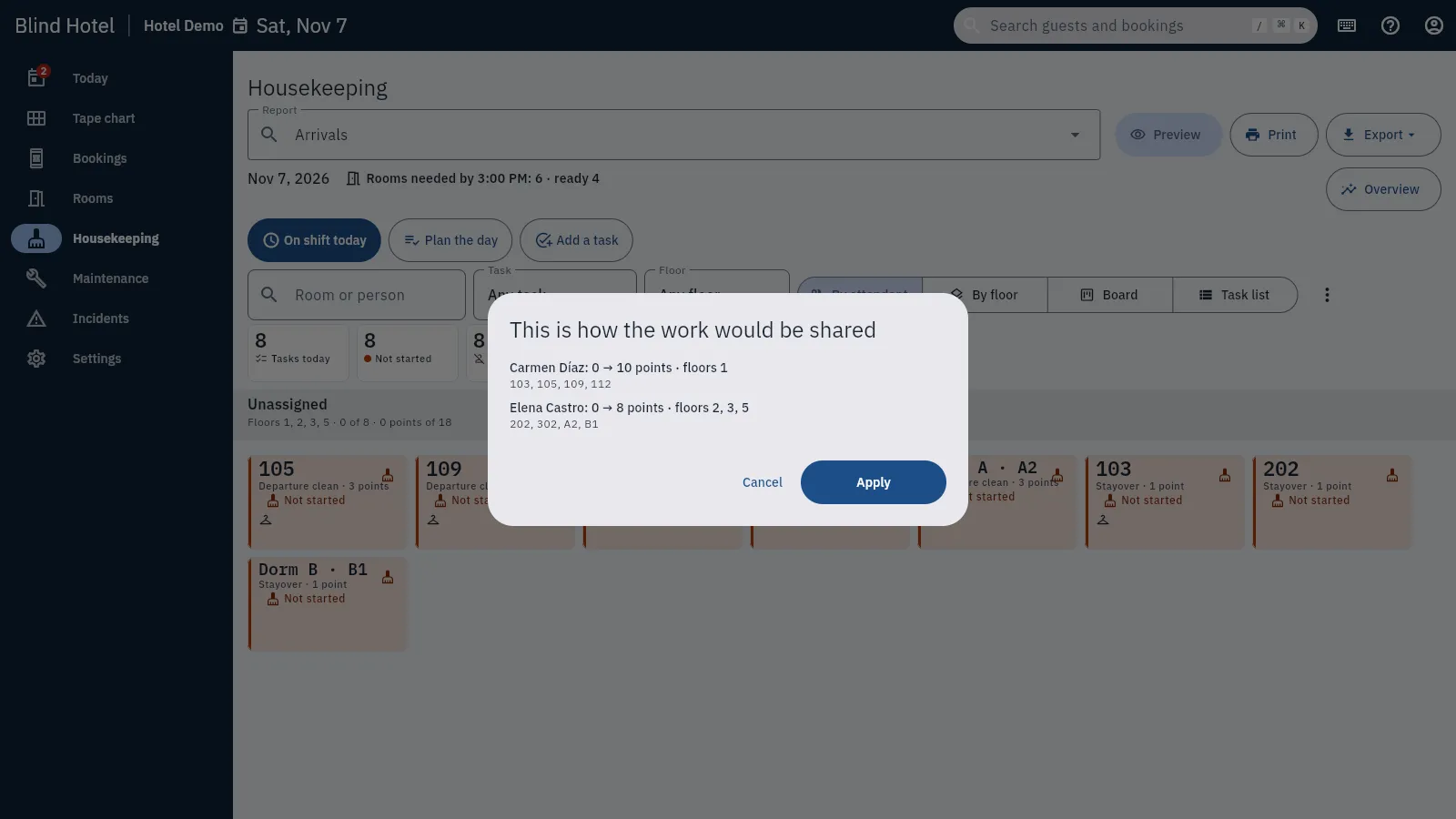
Tap Plan the day. If today has no tasks yet, it makes them. Under Who is working today?, tick the people and tap Preview.
-
Read how the work would be shared, then tap Apply. A message says how many tasks were given out. Undo stays there for a few seconds.
-
Follow the day on the Board. The boxes on top count the day: tap one to see only those tasks. By attendant shows each person’s load.
-
When a guest is waiting for a room, open its task and tap Rush: guest waiting, then confirm with Rush. The room goes to the top of the attendant’s list.
-
Where your hotel inspects rooms, open each card under To inspect. Tap Pass inspection, or Fail inspection and say What is left to do. The task goes back to the attendant with your note.
-
Open Overview and compare Progress of the day with Expected by now. The cards show the rush rooms, the inspections and the rooms out of order.
-
On the Board, scroll down to Discrepancies. A line there is a room that an attendant found different from the front desk’s record. Tap Resolve and say What was done.
-
Open Maintenance to see the faults your people reported. Use Report an issue for the ones you find, and Incidents to log what is not a repair.
Check your work
Section titled “Check your work”In By attendant, each person on shift has rooms and points, and nothing is left under Unassigned. The line on each person’s band, such as “4 of 6 · 18 points of 26”, grows as they finish rooms.
What next
Section titled “What next”- A room you forgot: tap Add a task. A room that cannot be done today: open it and tap Skip today.
- Someone is away: open their task and tap Reassign…, then choose another person.
- At night, the night audit closes the tasks left unfinished and moves the ones that are still needed to the next day.
- If the connection drops, see If the internet is down.
- Every button of the board is in The housekeeping board. The attendants’ side is in Housekeeper.
- The housekeeping reports are in the Report list under the title bar of the board: pick one, then Preview, Print or Export. Your role opens only those. See The report preview.
Considerations
Section titled “Considerations”- A departure clean cannot start until the guest has checked out, and a room with Do Not Disturb waits until it is lifted.
- To inspect is only there if your hotel gives out rooms that were inspected. Where a clean room is enough, a finished room goes straight to Done.