Process guide
Set up local lodging taxes
Time15 minutes
- Owner
- Manager
DifficultyMedium
Add a city, state or tourist tax once, so every quote, booking and bill includes it and the report tells you what to pay.
Purpose
Section titled “Purpose”Some cities, states and tourist boards charge a tax for each night a guest stays. You collect it from the guest and pay it to them. This guide sets it up one time. After that the tax is added by the system when a night is charged, never by hand, and it shows as a line of its own on the bill and on the invoice.
Ingredients
Section titled “Ingredients”- Permissions: Owner or Manager. Once the hotel is live, changing prices and taxes needs your two-step sign-in.
- Information: What the authority says: the amount or the percent, whether it is per room, per person or per stay, who is exempt, the most nights taxed, how often you file the return and who receives it.
- State: Your room types and prices exist.
Expected result
Section titled “Expected result”The tax is added to the price of the nights it applies to, in quotes, bookings and walk-ins, and it is one more line on the bill. The report Lodging tax return counts the nights and the people taxed, the exempt ones by reason, and the amount due for each month.
-
Open Settings, then Lodging taxes, and tap Add a lodging tax.
-
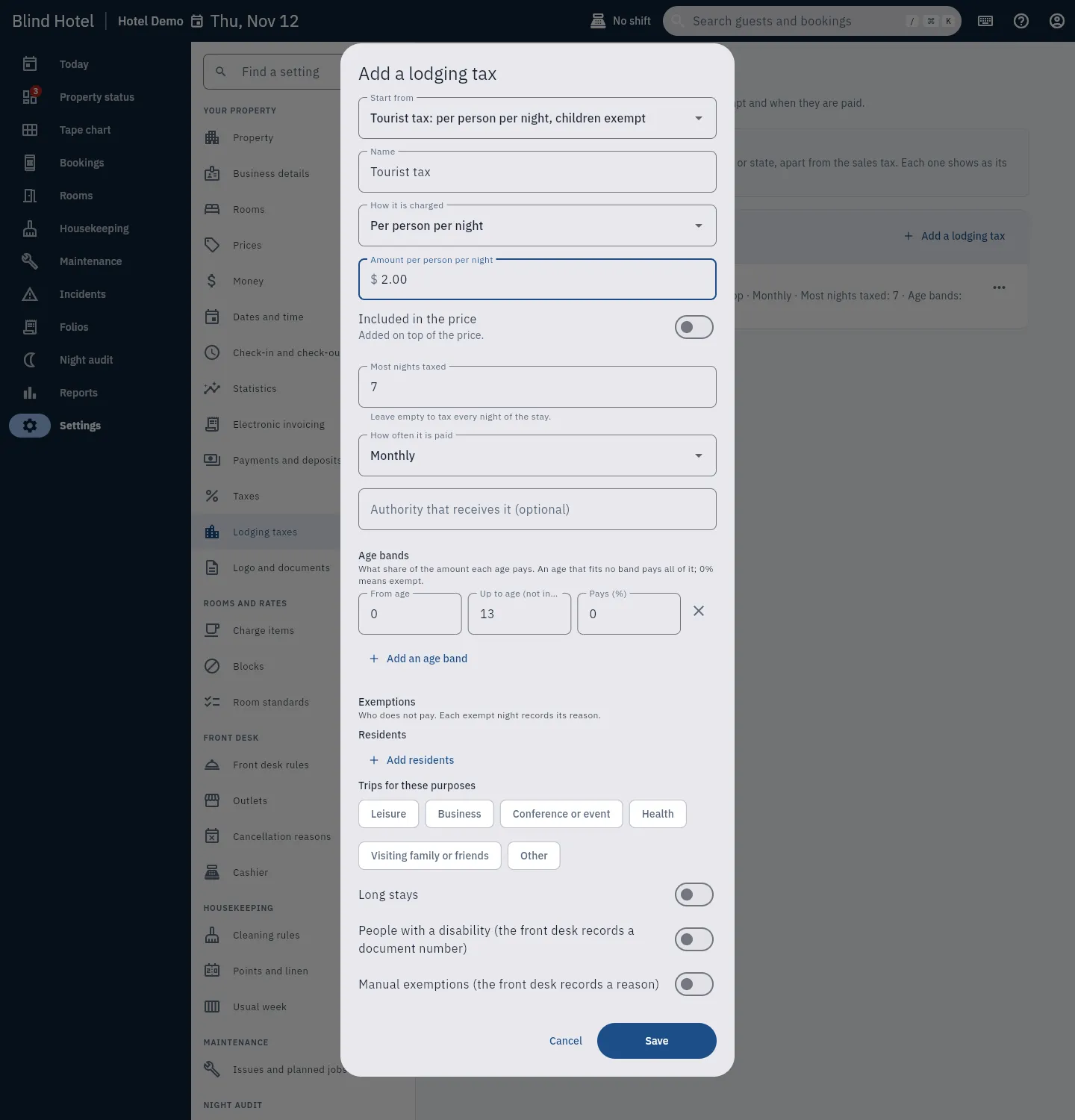
Under Start from, pick the example that is closest: City tax: a percent of the room rate or Tourist tax: per person per night, children exempt. Change the Name to what the guest should read on the bill.
-
Check How it is charged and type the Rate or the amount. If the price you show already contains the tax, turn on Included in the price.
-
If the authority taxes only the first nights of a stay, type Most nights taxed.
-
For a tax per person, set the Age bands. Tap Add an age band, then type From age, Up to age (not included) and Pays (%): 0 for a free age, 50 for half.
-
Under Exemptions, add who does not pay: Residents, Trips for these purposes or Long stays. Turn on People with a disability (the front desk records a document number) or Manual exemptions (the front desk records a reason) if your front desk will record them.
-
Choose How often it is paid and type the Authority that receives it (optional).
-
Tap Save.
-
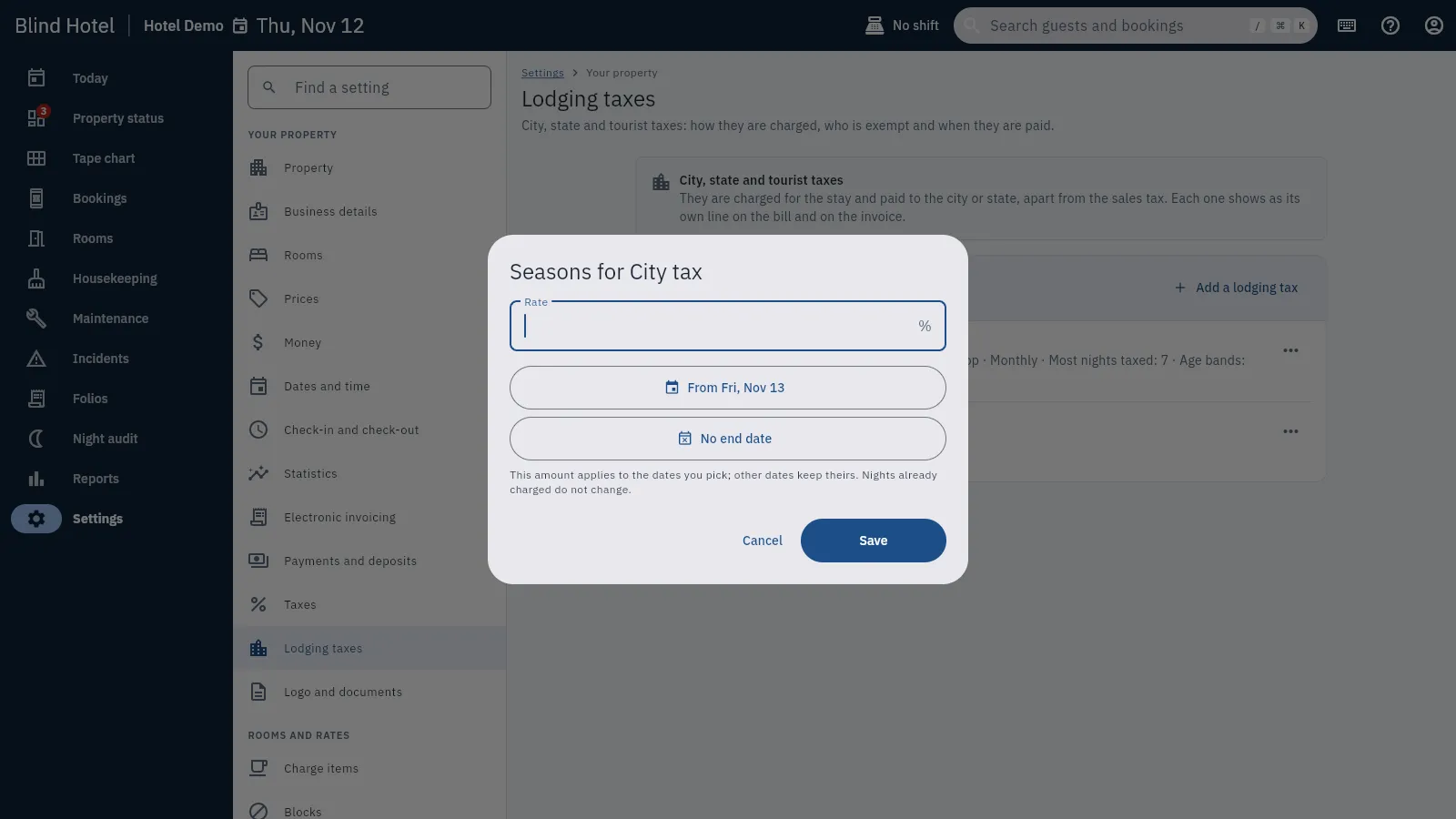
If the amount is different in some months, open More actions on the tax, tap Prices by season… and give the new amount to the dates it applies to.
-
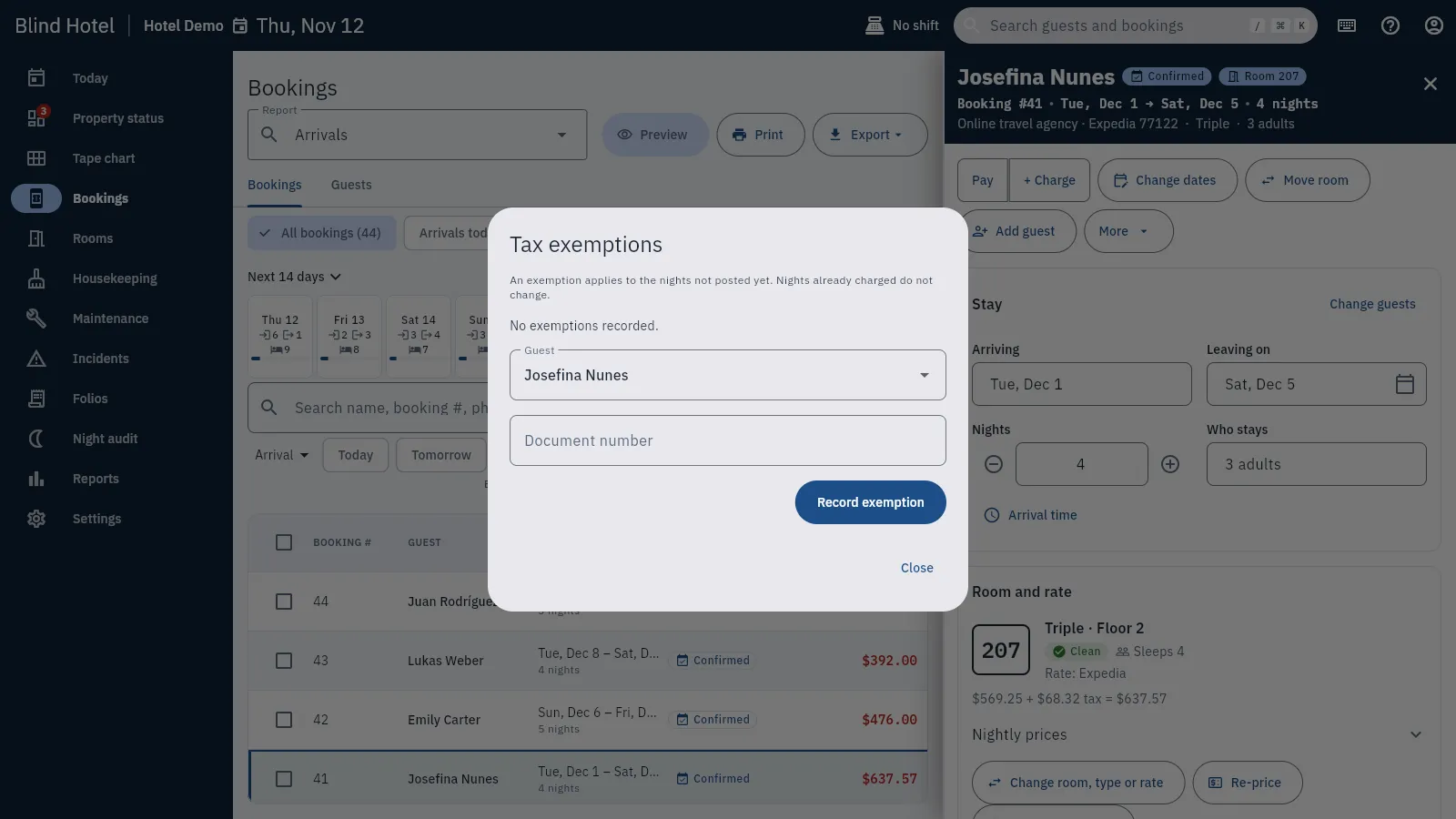
To exempt a guest for a reason the tax cannot know, open the booking, tap Tax exemptions…, pick the guest and the Exemption, type the document number or the Reason, and tap Record exemption.
Check your work
Section titled “Check your work”Open the quote of a room, or start a booking, for two nights. The price shows the tax as its own line, with the amount you expect. After the nights are charged, the bill of the guest shows it too.
When the month is over, open Reports and read Lodging tax return. The amount due must match what the guests were charged.
What next
Section titled “What next”- To follow another tax, add it the same way. Each one has its own line and its own return.
- To change an amount from a date, use Prices by season…. The nights before never change.
- To stop a tax, open More actions and tap Archive.
Considerations
Section titled “Considerations”| The tax | How it is charged | What you fill in |
|---|---|---|
| A city tax of 3% of the room rate | Percent of the room rate | Rate: 3. Most nights taxed: empty |
| A tourist tax of 2.00 per person per night, children under 13 free, at most 7 nights | Per person per night | Amount per person per night: 2.00. Most nights taxed: 7. Age band: From age 0, Up to age (not included) 13, Pays (%) 0 |
| A tourist tax with half price for ages 13 to 17 | Per person per night | Age band: From age 13, Up to age (not included) 18, Pays (%) 50 |
| A flat fee of 5.00 for the whole stay | Per stay | Amount per stay: 5.00 |
| Residents of the city do not pay | Any | Exemptions: Residents of A city, and the name of the city |