Process guide
Set stay restrictions
Time5 minutes
- Owner
- Manager
DifficultyMedium
Ask for a minimum stay, or close a night to arrivals, to departures or to sales, for the dates and room types you choose.
Purpose
Section titled “Purpose”A busy weekend sells better in blocks of two or three nights, and a night with a full house has no use for new arrivals. Restrictions keep single nights from breaking up your busiest dates, and the app applies them to every booking.
Ingredients
Section titled “Ingredients”- Permissions: Owner or Manager. Once the hotel is live, changing prices needs your two-step sign-in.
- Information: The dates, the room types, and the rule: a minimum number of nights, no arrivals, no departures, or no sales.
- State: The prices of those nights are set. See Change prices for a season.
Expected result
Section titled “Expected result”The nights you picked show small marks in the Calendar. A booking that breaks the rule is refused, with a message that names the date.
-
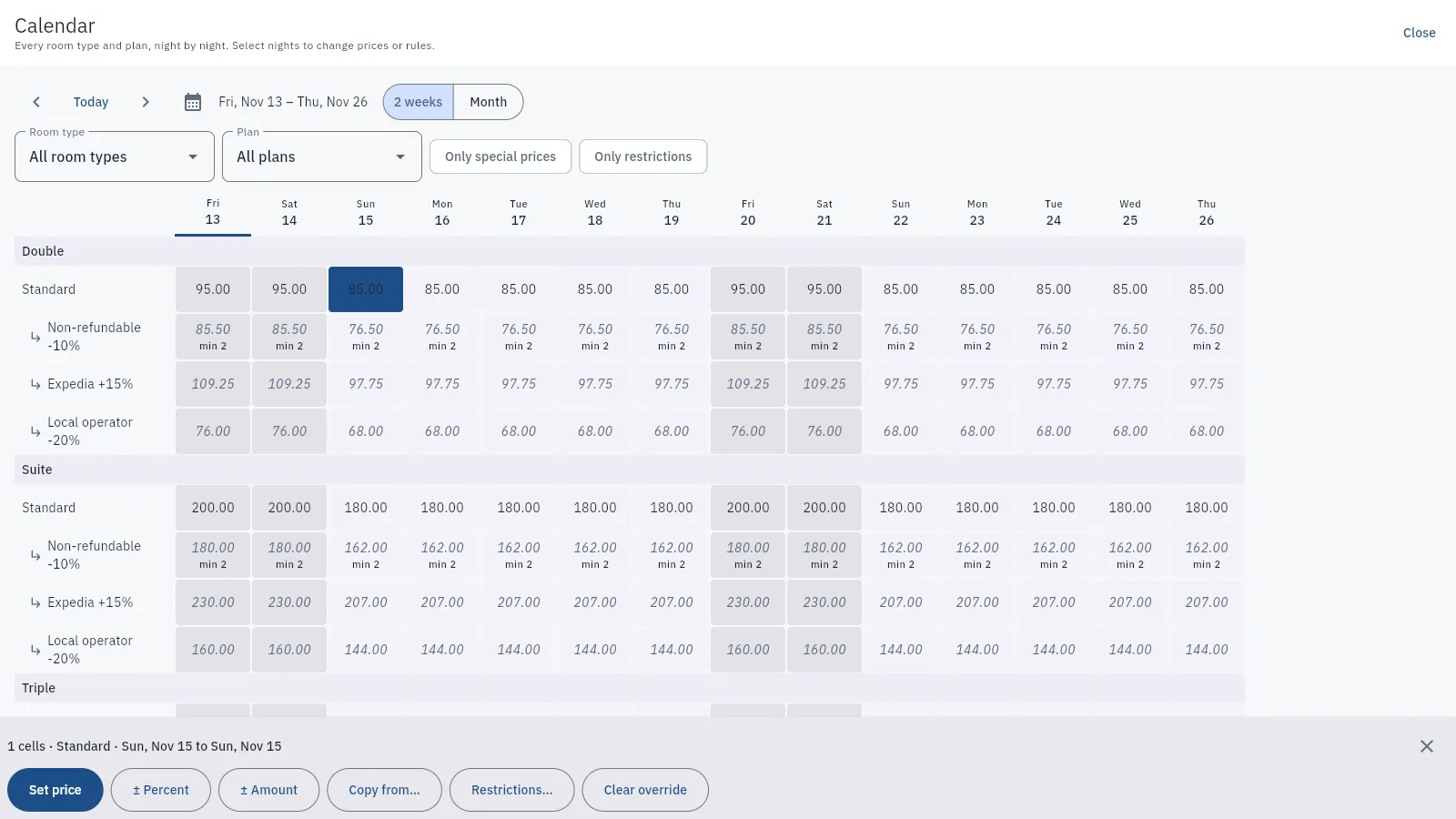
Open Settings, then Prices, and tap Calendar. In the grid, pick the nights. On a desktop, drag over the prices. On a phone, tap the first night and then the last one.
-
In the selection bar, tap Restrictions….
-
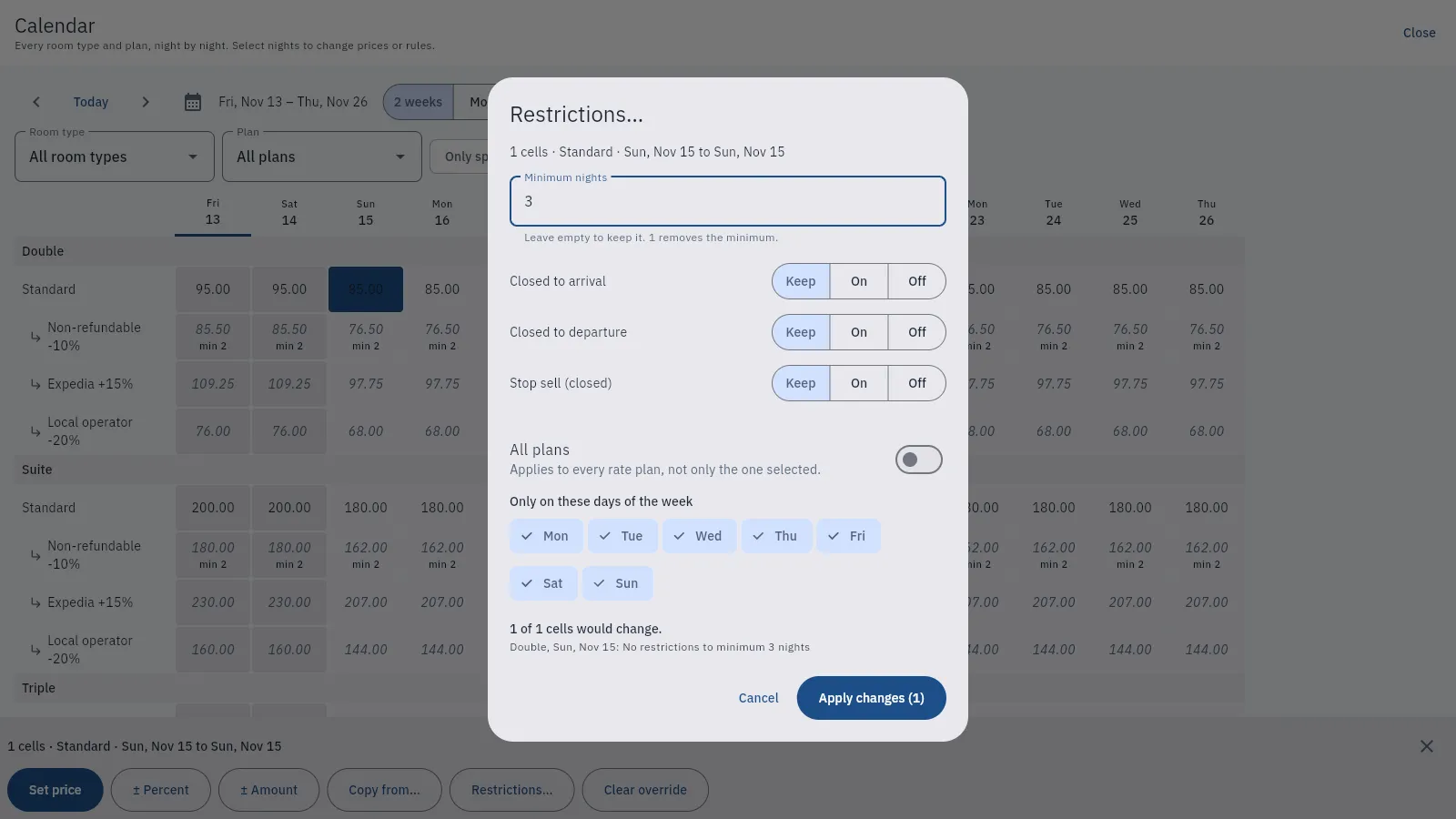
To ask for a minimum stay, type the number in Minimum nights. Leave it empty to keep what is there. Type 1 to remove the minimum.
-
For Closed to arrival, Closed to departure and Stop sell (closed), tap On to set the rule, Off to remove it, or Keep to leave it as it is.
-
To apply the rule to every rate plan, switch on All plans. To limit it to some days, use Only on these days of the week.
-
Read the preview. It says how many nights would change. Tap Apply changes.
Check your work
Section titled “Check your work”The picked nights show the marks in the grid: min 3 for a minimum stay, an arrow in for Closed to arrival, an arrow out for Closed to departure, and a price with a line through it for a night that is Closed. To see only those nights, switch on Only restrictions.
To be sure, start a booking that breaks the rule. The app refuses it, for example with a minimum of three nights on a date.
What next
Section titled “What next”- To go past a restriction for a special case, a manager can book it anyway. The booking asks for Manager’s reason (required), and the reason is saved with the booking.
- For a simple rule, use step 4, Selling rules: tap Close nights, Minimum stay, No arrivals or No departures, or Add a rule. The window shows what would change before you apply it. It sets the rule for all plans, and you choose the room types.
- To remove a rule, pick the same nights, tap Restrictions… and set it to Off, or type 1 in Minimum nights.