Process guide
Invoice a guest or a company
Time3 minutes
- Owner
- Manager
- Front desk
- Night audit
DifficultyMedium
Make the electronic invoice for a folio: for a guest, for a company, or for a foreign tourist.
Purpose
Section titled “Purpose”An invoice has to say who it is made out to, with the details the tax authority asks for. When a folio closes, the app invoices it by itself. This process is for choosing who the invoice is for before that happens, or for making the invoice yourself when it did not come out.
Ingredients
Section titled “Ingredients”- Permissions: Owner, Manager, Front desk or Night auditor.
- Information: For a taxpayer or a government office, the tax ID and check digit. For a foreign guest, the passport number and the country. For a company, the company’s tax ID and check digit.
- State: Electronic invoicing is on (see Set up electronic invoicing (Panama)) and the folio has charges.
- Tax details (optional): If the guest or the company comes back, their Tax details can be saved once in their profile. Every invoice for them then starts from there.
Expected result
Section titled “Expected result”The folio shows its invoice in the Fiscal tab, first Queued or Sent and then Accepted, with the authority’s code and a QR code once accepted.
-
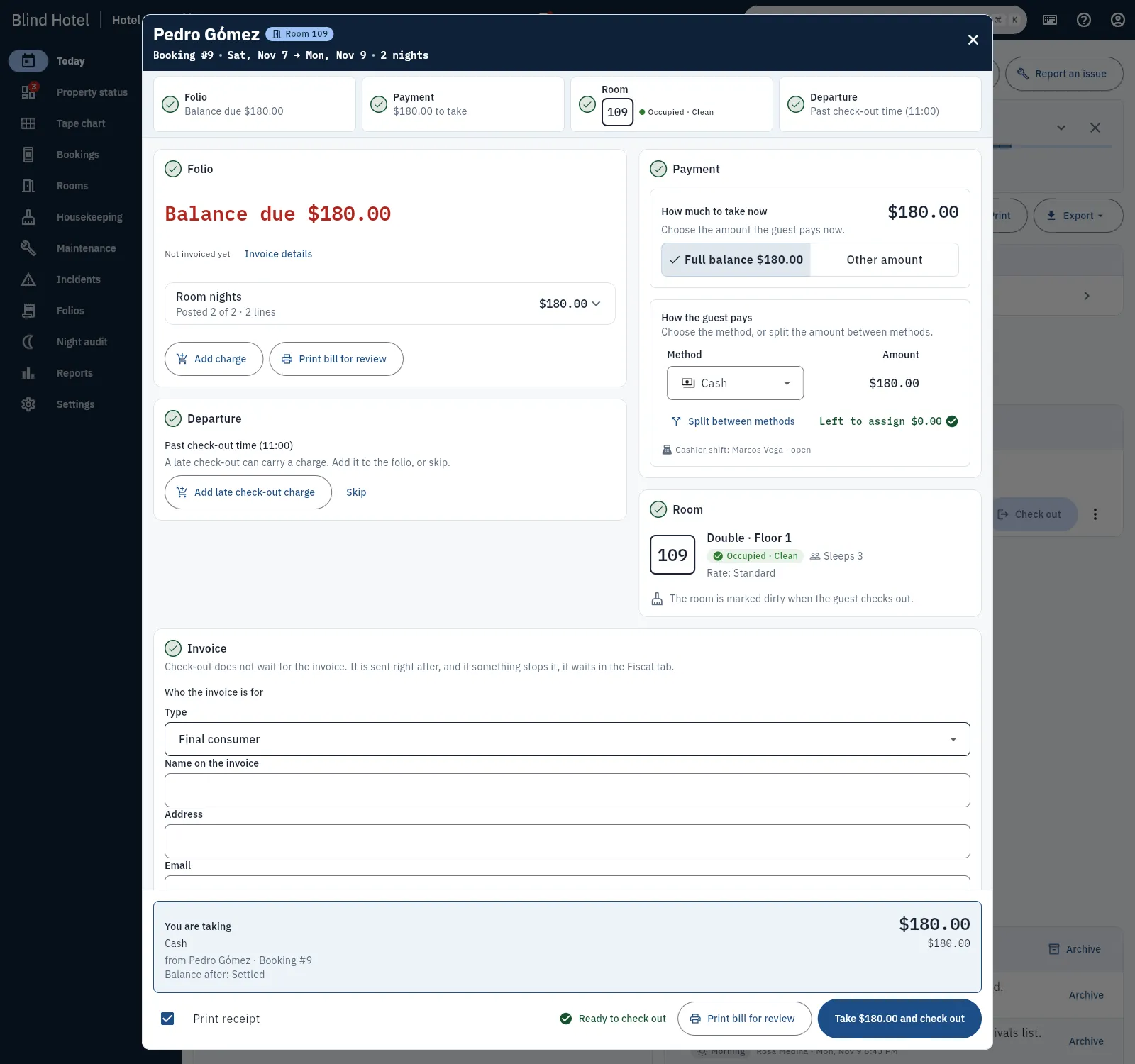
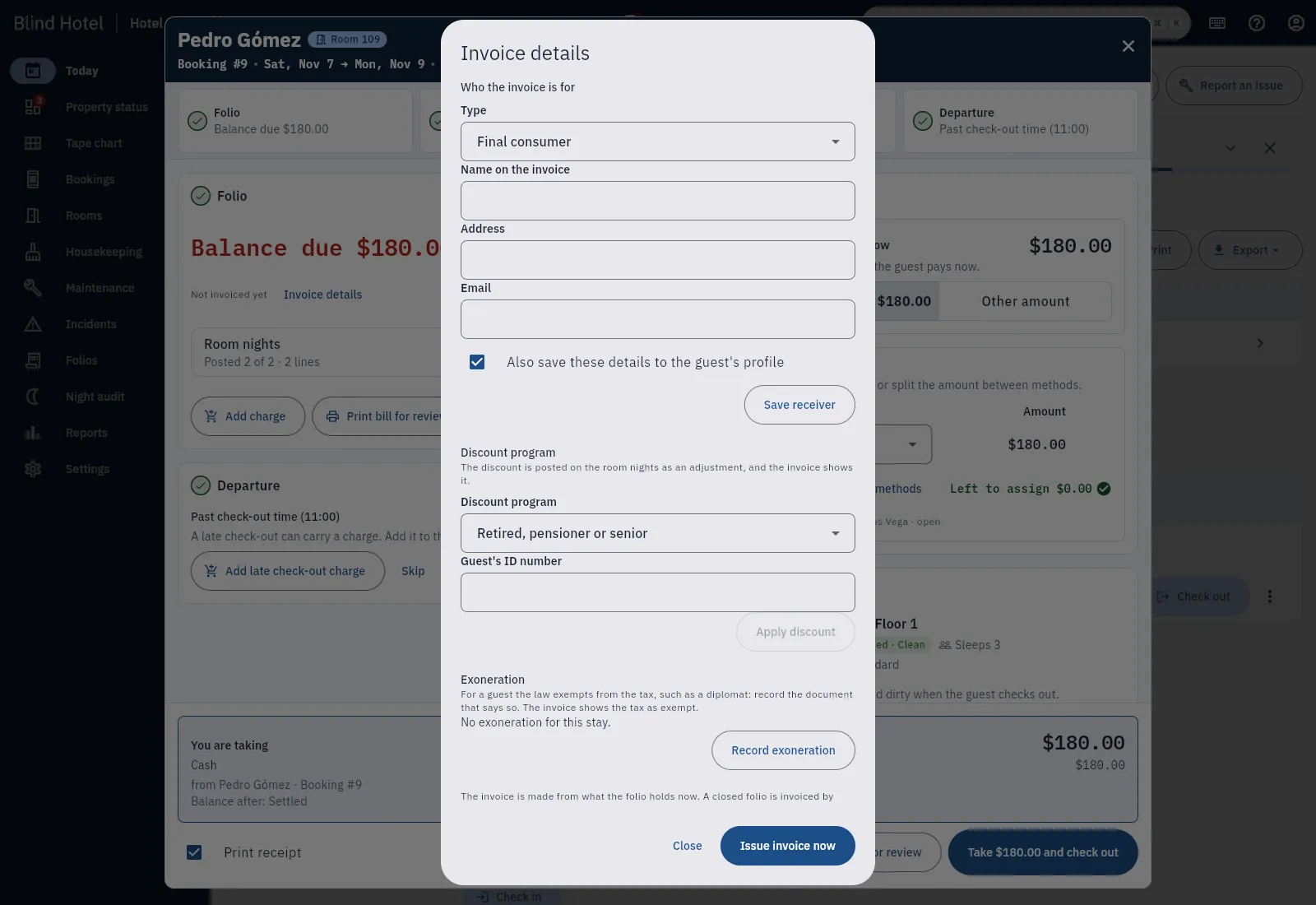
Open the invoice data. At check-out, find the Invoice section in the check-out sheet: it shows who the invoice is for, taken from the Tax details of the guest or the company. From the folio, before or after check-out, go to Folios, open the folio and tap Invoice details: the window Invoice details opens, with the same fields.
-
When everything the invoice needs is there, the section stays folded at check-out and you do nothing here. When something is missing or wrong, the section opens by itself. Under Who the invoice is for, pick the Type:
- Final consumer, for a guest who gives no tax details.
- Taxpayer, with Tax ID and Check digit, when the guest or a business needs the invoice for its taxes.
- Foreigner, with ID or passport number and the guest’s country, for a foreign tourist.
- Government, with Tax ID and Check digit.
-
Fill in Name on the invoice, and Address and Email if you have them. In the window, tap Save receiver.
-
Check out, or close the folio, as usual. The invoice is made right after, and the sheet never waits for it.
-
To make the invoice before that, or because none came out, tap Issue invoice now in the Invoice details window.
Check your work
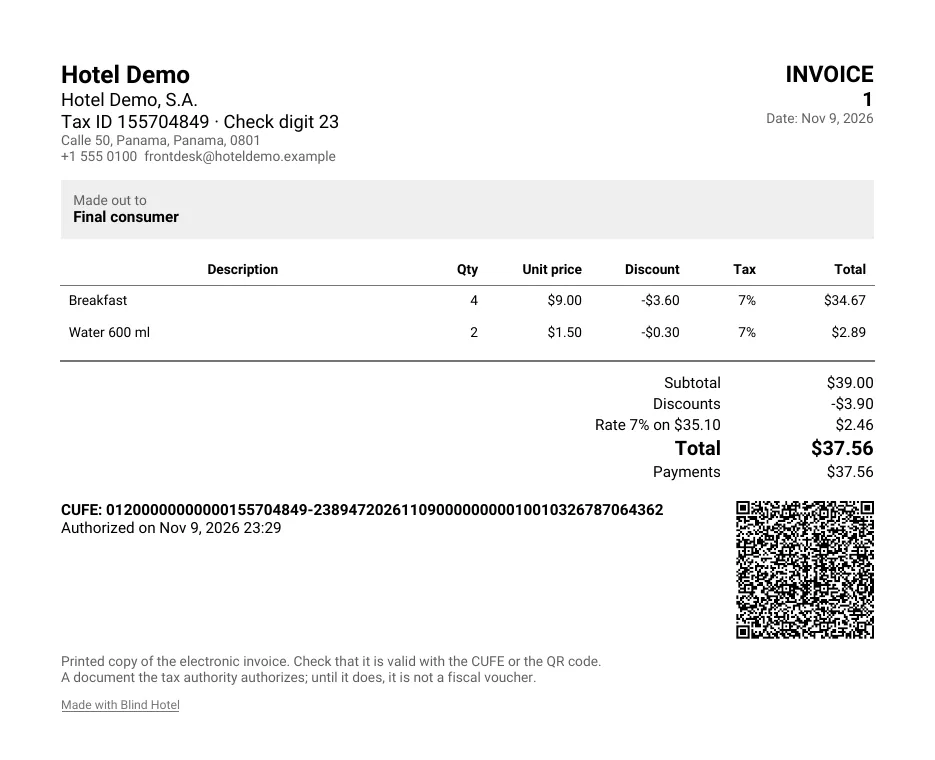
Section titled “Check your work”Open the Fiscal tab of Folios. The invoice is in the list with its status. Tap it to see Made out to, the Total and, once accepted, the Authority code and the QR code of the document.
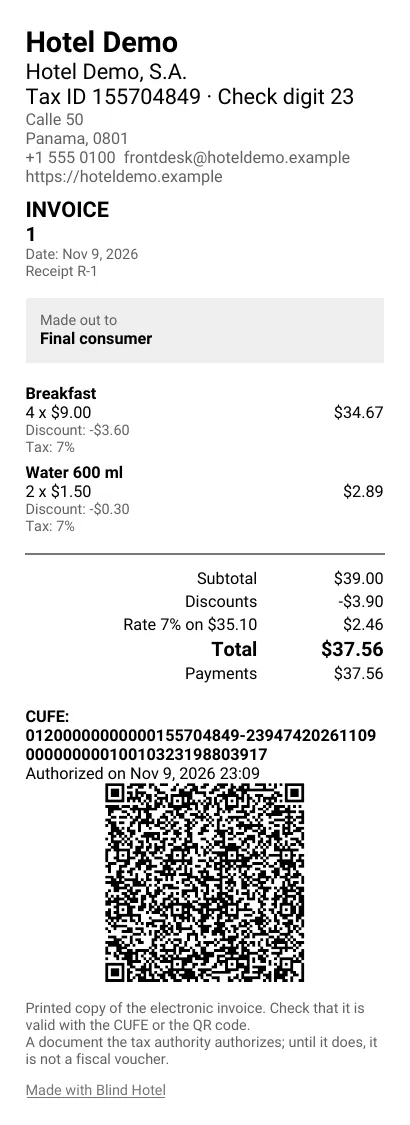
To give the guest the copy, tap Print or Share PDF in the same window. The page is the printable copy of the invoice: the items with their discounts, the totals per tax rate, the code the authority gave it (the CUFE) and a QR code that anyone can use to check it.
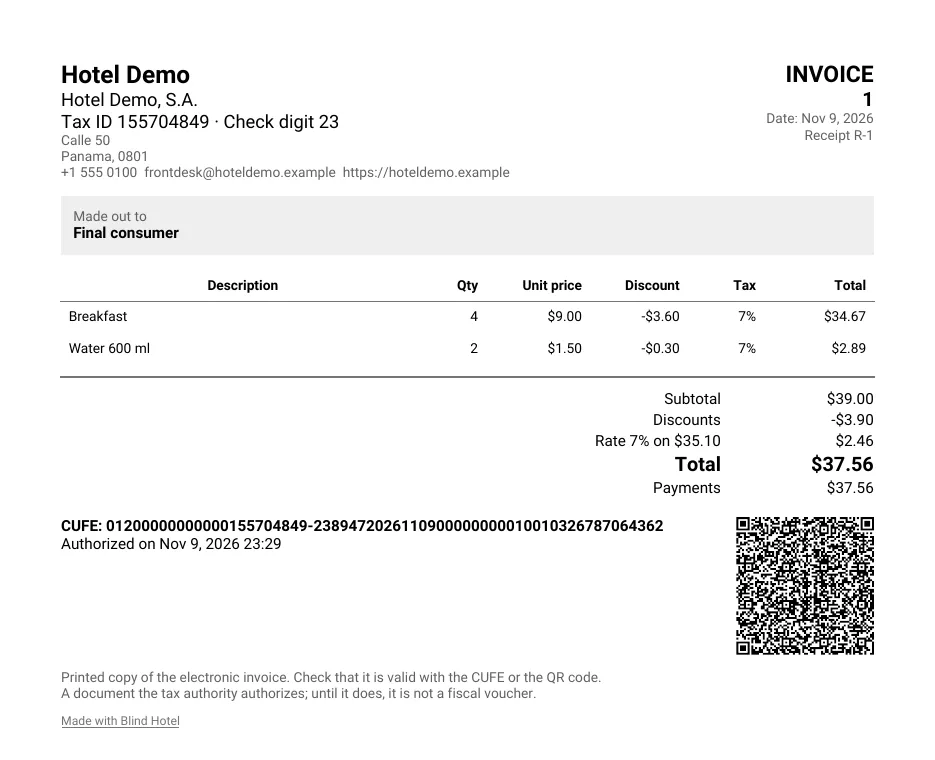
The folio’s receipt carries the same data. From the folio, tap More actions, then Receipts: Reprint and Share PDF give the copy on a sheet, and Print as ticket and Share ticket PDF give it on a narrow roll. The ticket buttons show only for a folio that has an invoice.
What next
Section titled “What next”If the invoice says Rejected, see Fix a rejected invoice. If a charge is discounted or reversed after the invoice, a credit note follows by itself. See Credit and debit notes.
Considerations
Section titled “Considerations”- An invoice is made from what the folio holds at that moment. A folio with nothing to invoice does not get one.
- A folio that already has an invoice cannot get a second one.
- The fields you see, their names and what they accept (a tax number and its check digit, a passport and a country) come from the country of the hotel, not from where your device is. A person who works at two hotels sees each hotel’s own fields.
- To save the details once, open the guest’s profile or the company’s and fill in Tax details. Each bill can still be changed at check-out.
- If the tax charged on the folio does not match the tax code set for an item, the invoice waits as a Draft and says what to fix.
- When the folio is billed to a company, the invoice is made out to that company by itself, with the tax ID of its record. A guest with a foreign passport and no other details is proposed as a foreigner.