Process guide
Front desk
TimeA whole shift
- Front desk
DifficultyMedium
The front desk agent’s day, from opening the shift to handing it over.
Purpose
Section titled “Purpose”The front desk is where the hotel meets its guests. This guide follows one shift in the order things happen: open the drawer, check guests in, take payments, check them out, book new guests and close the shift with a count. Each step points to the guide that has the detail.
Ingredients
Section titled “Ingredients”Expected result
Section titled “Expected result”Every arrival is in a room, every departure is settled, every payment is on a folio, and your drawer is counted and closed with a note for the next shift.
-
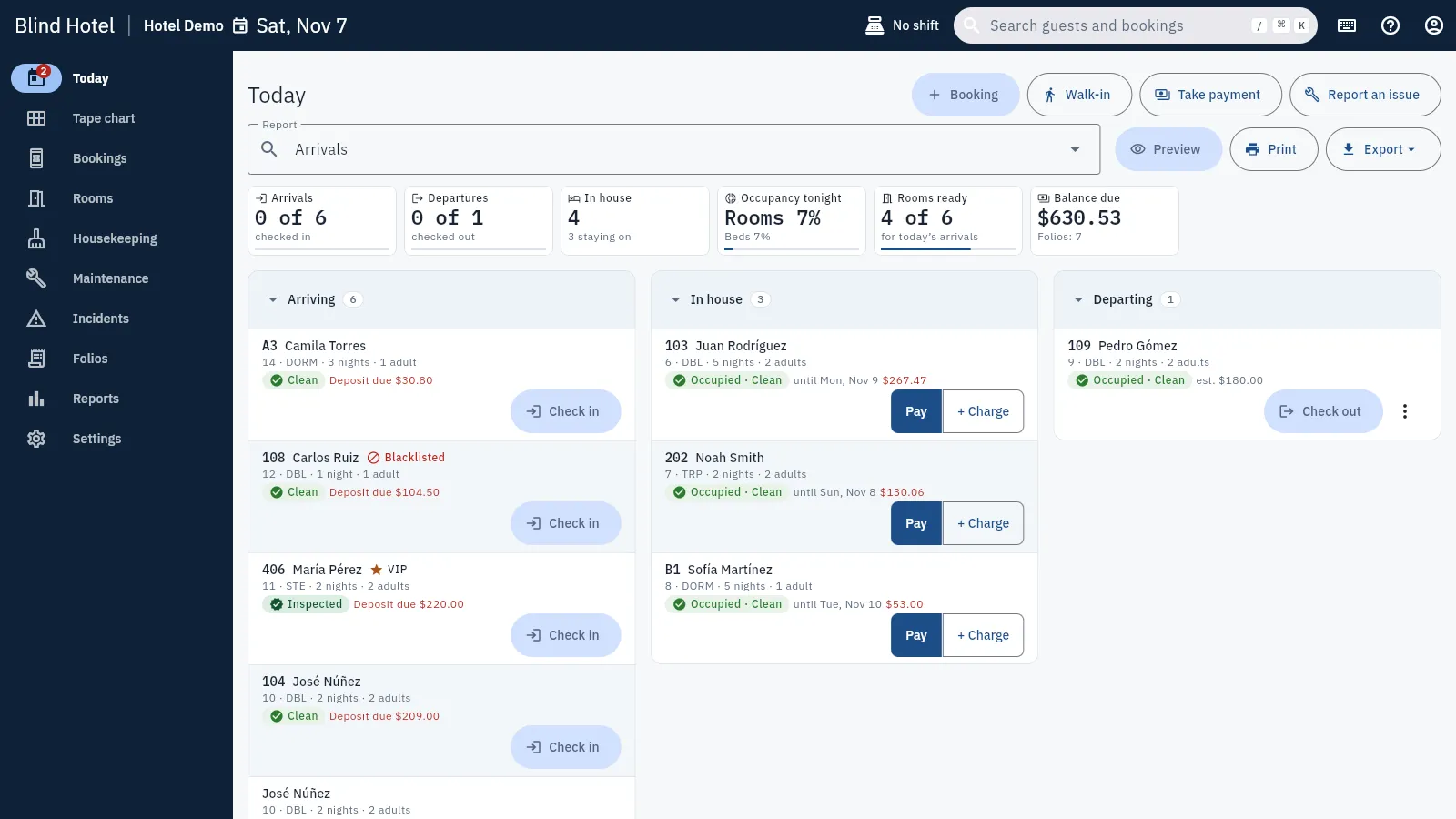
Sign in. You land on Today: arrivals, departures, guests in house and what needs attention.
-
Scroll down and read the Shift notes the last shift left, and Needs attention.
-
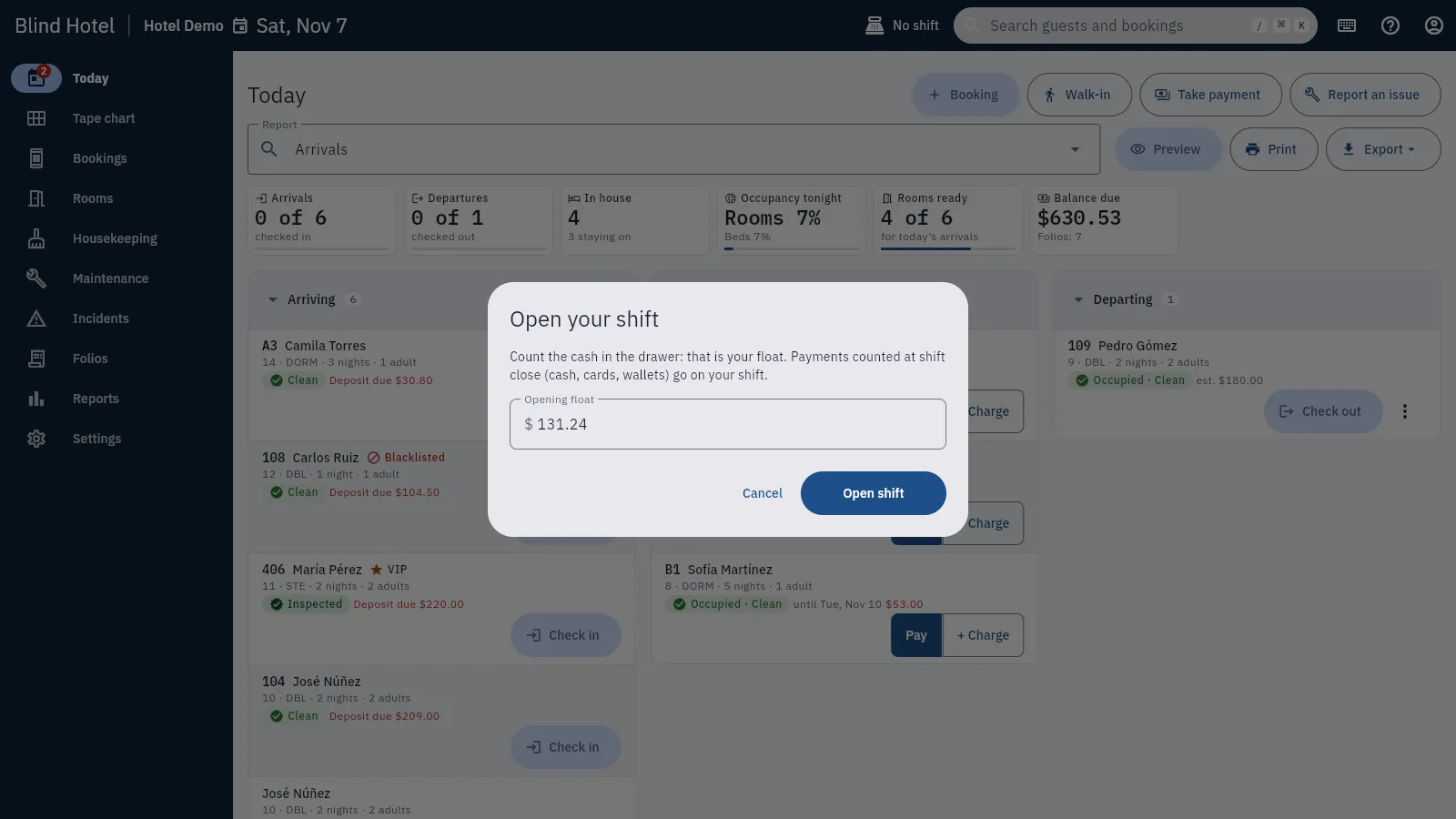
Tap the shift chip at the top, which says No shift, then Open shift. The opening float is the one left at the last close. Change it only if the drawer differs. If the last shift handed over a drawer, tap Count and receive.
-
To check in a guest, tap Check in on the arrival’s row. The sheet shows the room, the guests and the payment. If your hotel asks for it, every adult needs a name and an ID. A booking with two rooms checks in both in one pass. See Check in a guest.
-
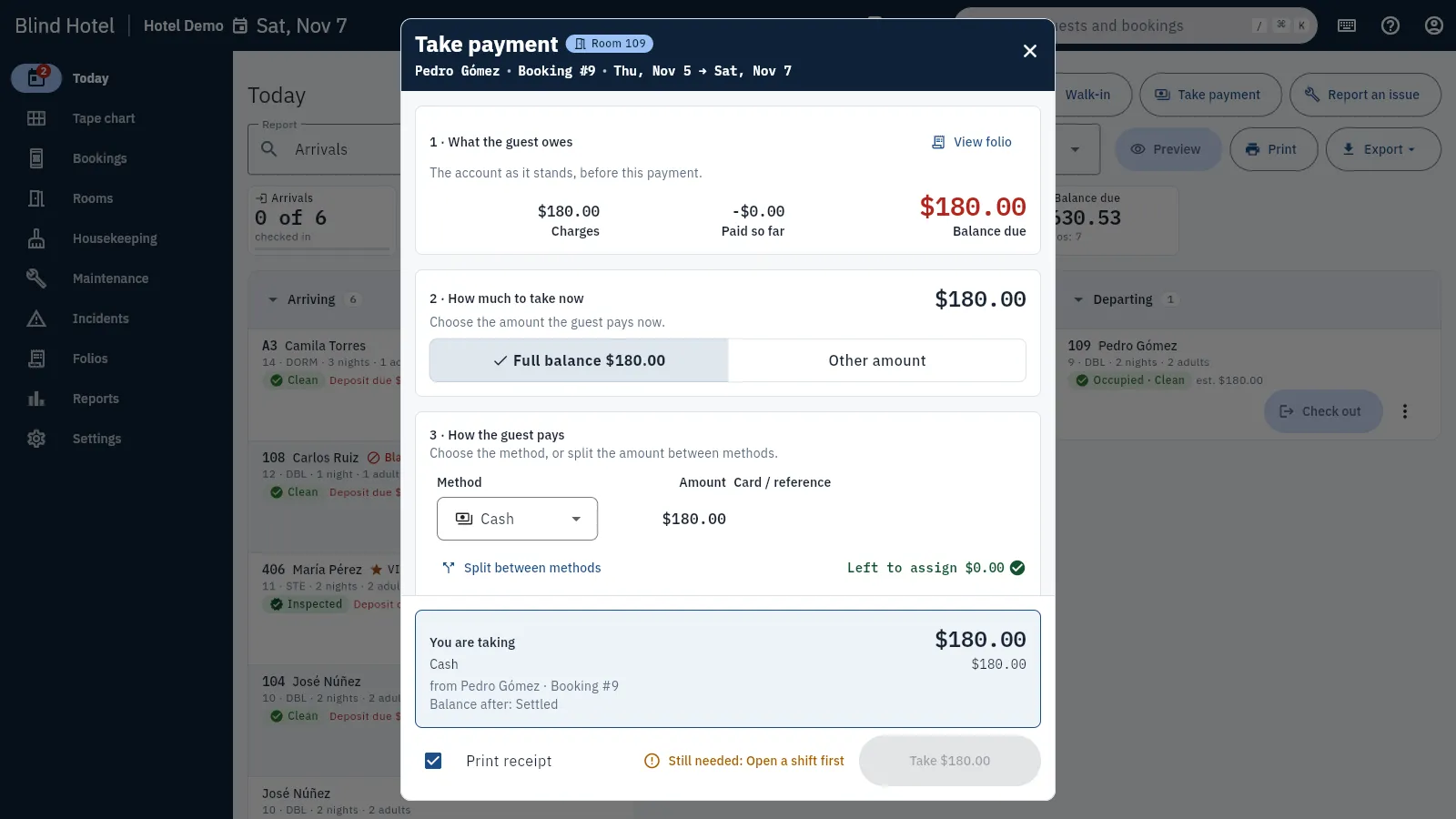
To take a payment, tap Pay on the guest’s row under In house. The amount is the balance. Pick the method; Print receipt is ticked. See Take a payment.
-
To check out a guest, tap Check out on the row. Tap Add late check-out charge if it applies, and take the balance. A guest who owes nothing goes out at once, with Undo for a moment. Check out all settled does all of them. See Check out a guest.
-
For a guest without a booking, tap Walk-in. Dates, room type and rate, the guest and the payment are on one sheet. See Walk-in.
-
For a phone booking, tap Booking. Take the deposit now or later. See Make a booking.
-
To change something, open the booking from Bookings or from the search. Change dates, Move room, Add guest and + Charge are on the booking.
-
To find anything, press Ctrl+K, or press / for the search. It finds guests, bookings and folios, each with its next action.
-
Every guest document has Print and Share PDF next to it: the confirmation, the registration card, the receipt and the bill for review.
-
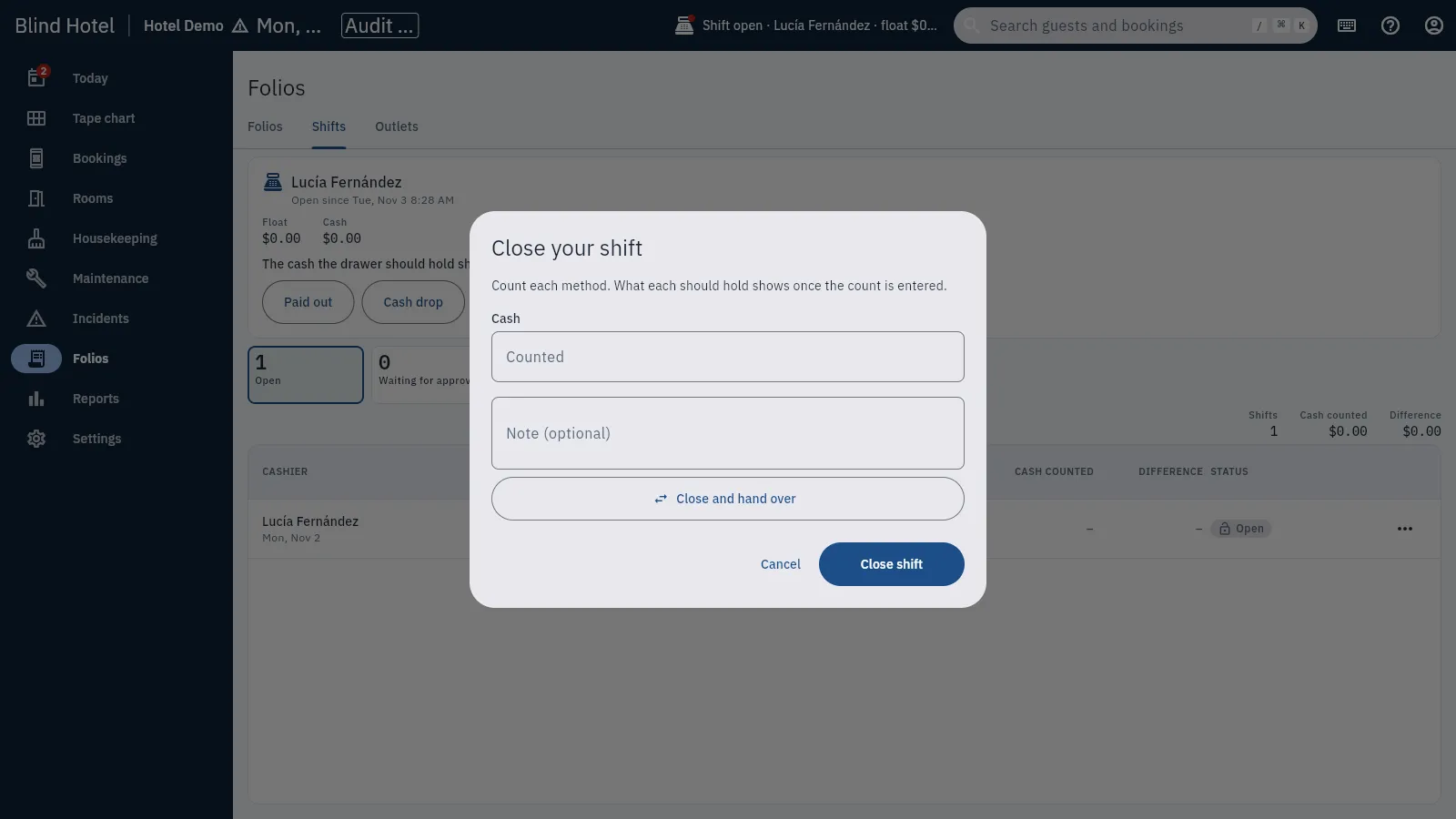
At the end of the shift, tap the shift chip, then Close shift. Count the cash first; the expected amount shows after. Close and hand over also writes the note for the next shift. See Your cashier shift.
Check your work
Section titled “Check your work”- Each guest you checked in is under In house on Today, with a room.
- Each guest you checked out is settled: the folio has no balance.
- Every payment you took is on a folio.
- Your shift shows as closed, and the next shift can read your note.
What next
Section titled “What next”- If the internet goes down, see If the internet is down.
- If the app refuses something, see When the app says no at the desk.
- For each part of the screen, see The Today screen.
Considerations
Section titled “Considerations”- Today shows the hotel’s business day, which only the night audit moves. After midnight it can still be the day before.
- Cash payments go on your cashier shift. If none is open, the app asks you to Open shift.
- The privacy notice is on the registration card, above the signature.