Process guide
Re-price a booking
Time2 minutes
- Owner
- Manager
DifficultyCareful
Move a booking to today’s prices of its rate plan, with the old and the new price shown first.
Purpose
Section titled “Purpose”A booking keeps the price it was made at, even if you change your prices later. Sometimes you want the new prices on an existing booking: a rate you agreed again with the guest, or a price that was wrong. Re-pricing does that on purpose, with a reason that is kept.
Ingredients
Section titled “Ingredients”- Permissions: Owner or Manager. The front desk does not see the button.
- Information: Why you are re-pricing the booking.
- State: The booking is not checked out or cancelled, and it has nights still to stay.
Expected result
Section titled “Expected result”The nights still to stay cost today’s prices of the booking’s rate plan. Nights already stayed keep the price they had. The reason is saved with the change.
-
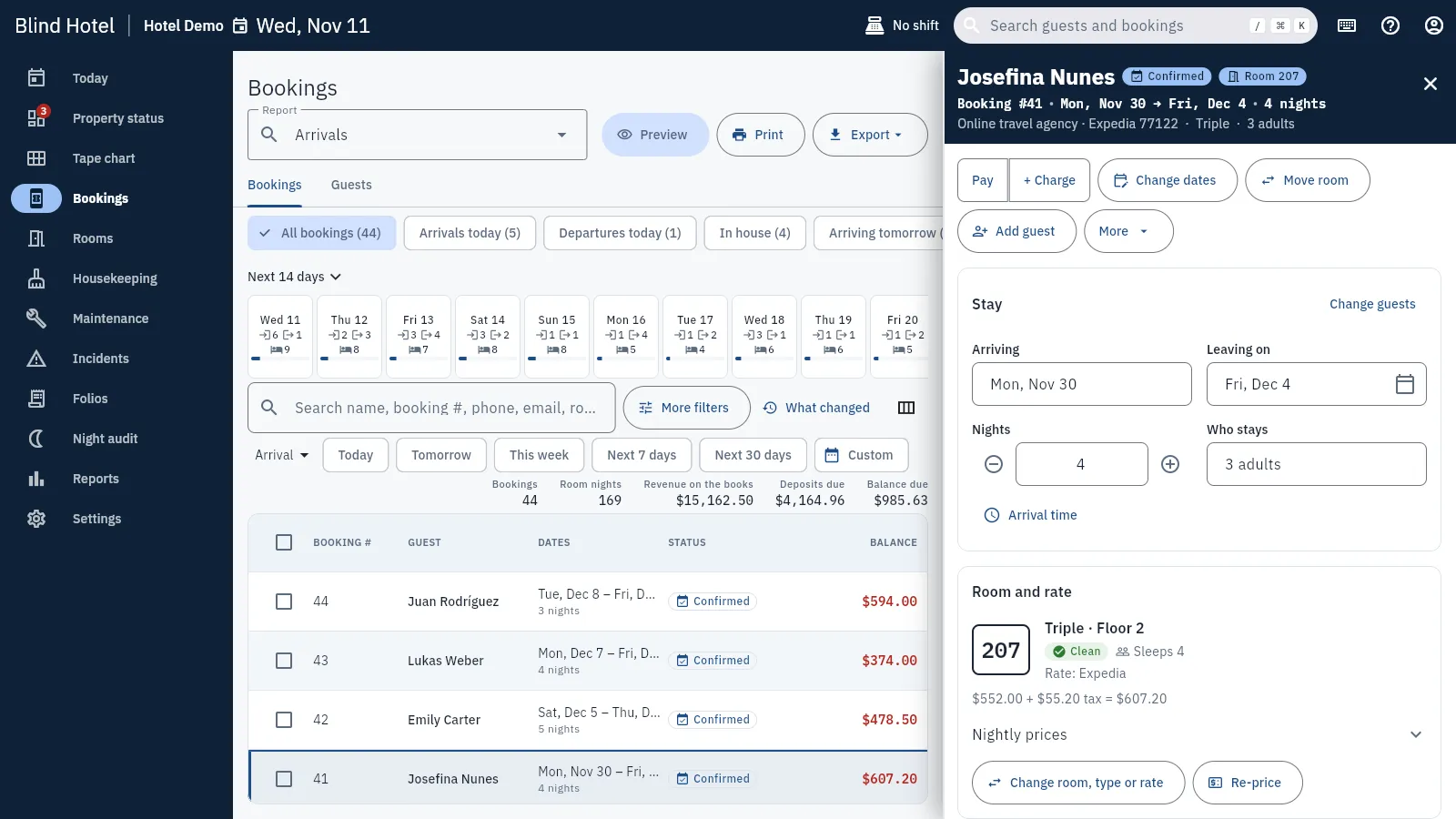
Open the booking from Today, the tape chart or the bookings list.
-
On the room card, tap Re-price.
-
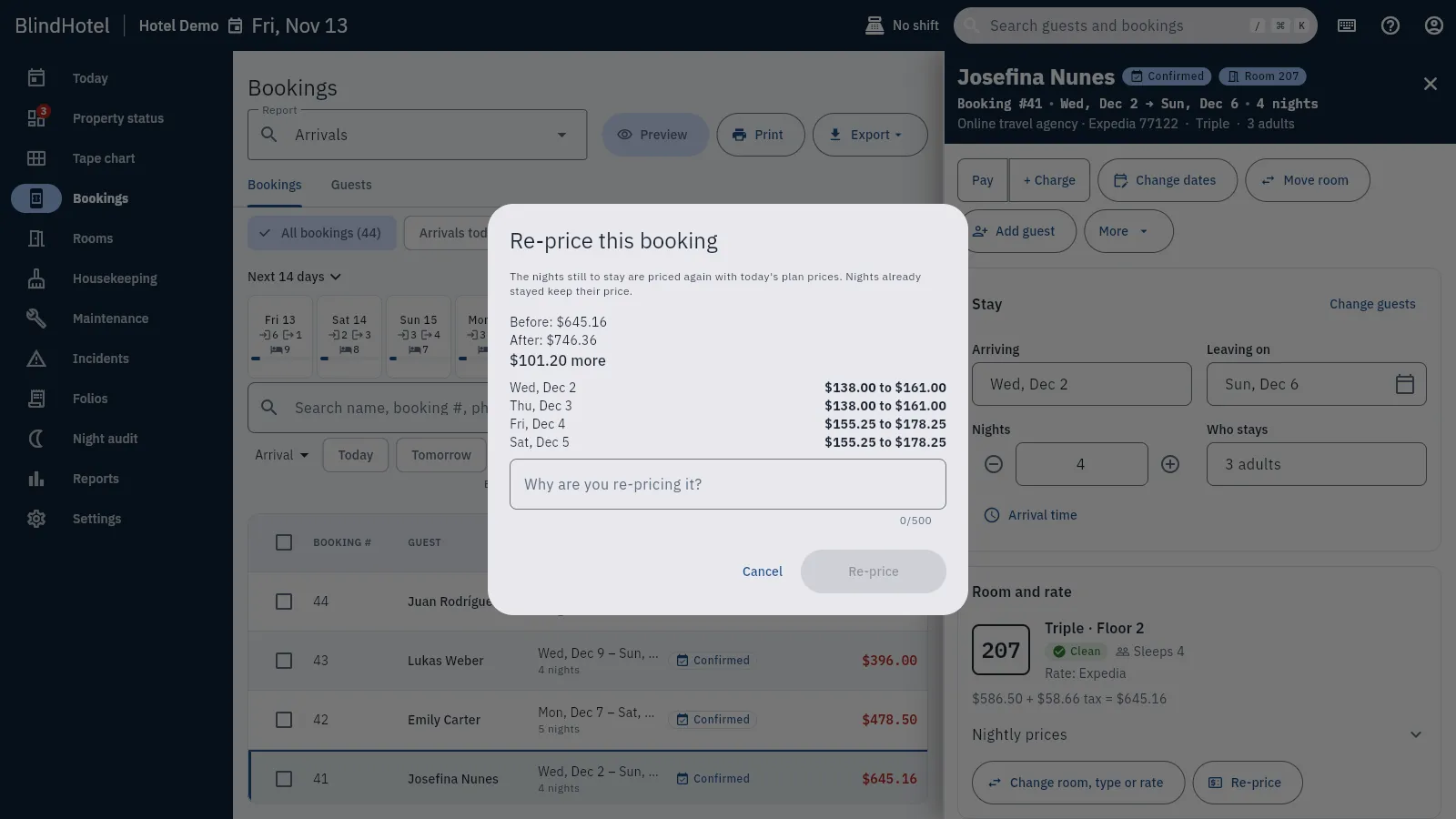
Read the nights. Each shows the price now and the price it would have, for example $115.00 to $126.50.
-
Type the reason in Why are you re-pricing it?.
-
Tap Re-price.
Check your work
Section titled “Check your work”The message Booking re-priced. appears and the nights show the new prices. The change is recorded with your name, the time and the reason.
If the window says The prices are the same: nothing would change., the booking is already at today’s prices and there is nothing to do.
What next
Section titled “What next”- To undo a mistake, change the prices of the plan back and re-price the booking again.
- To change the plan of a booking, tap Change room, type or rate.
- To see why a price is what it is, open Settings, then Prices, and tap Price checker. See How your room price is calculated.