Process guide
Preview, print or export a report
Time2 minutes
- Owner
- Manager
- Front desk
- Night audit
DifficultyEasy
Read a report for the dates you want, then print it or save it as a CSV file or an Excel file.
Purpose
Section titled “Purpose”To check a report before you use it, and to take it out of BlindHotel: on paper for a meeting, or as a file for a spreadsheet or your accountant. What you see in the preview is exactly what is printed and saved, so there are no surprises.
Ingredients
Section titled “Ingredients”- Permissions: The permission to read the report. The daily lists, such as Arrivals and In house, need the reports permission, which the Front desk has. The money and performance reports need the financial reports permission: Owner, Manager, Night auditor and Accountant.
- Information: Which report you want, and for which dates.
- Documents: A spreadsheet program for a file, such as Excel, or a printer for paper.
- State: For a money report about past days, the night audit has closed those days.
Expected result
Section titled “Expected result”You have read the report in a large window and you have a paper copy, or a CSV file or an Excel file with the same rows. For a file, a line at the bottom says “Saved revenue-2026-10-01_2026-10-02.xlsx.”
-
Choose where to start. For a report about the page you work on, open Today, Housekeeping, Bookings, Maintenance or Night audit. For any other report, open Reports in the menu.
-
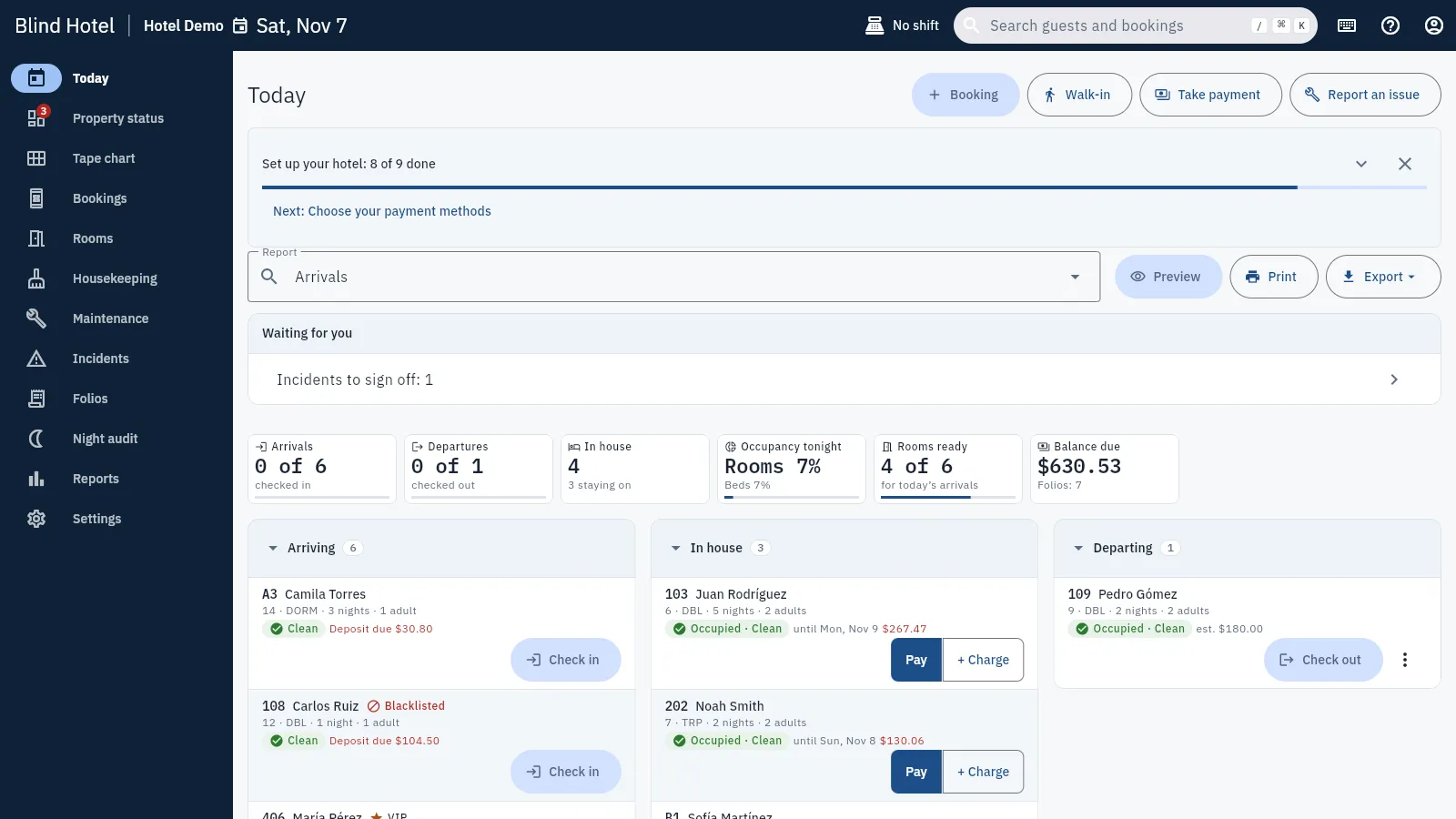
On a page, find the Reports row under the title bar. Tap the Report list and pick a report. The reports made for this page come first, under This department. The others you may open follow, under All reports. Type in the list to narrow it.
-
Tap Preview. The report opens in a large window, on the dates that page is about. From Reports, tap the report’s card instead. It opens the same window.
-
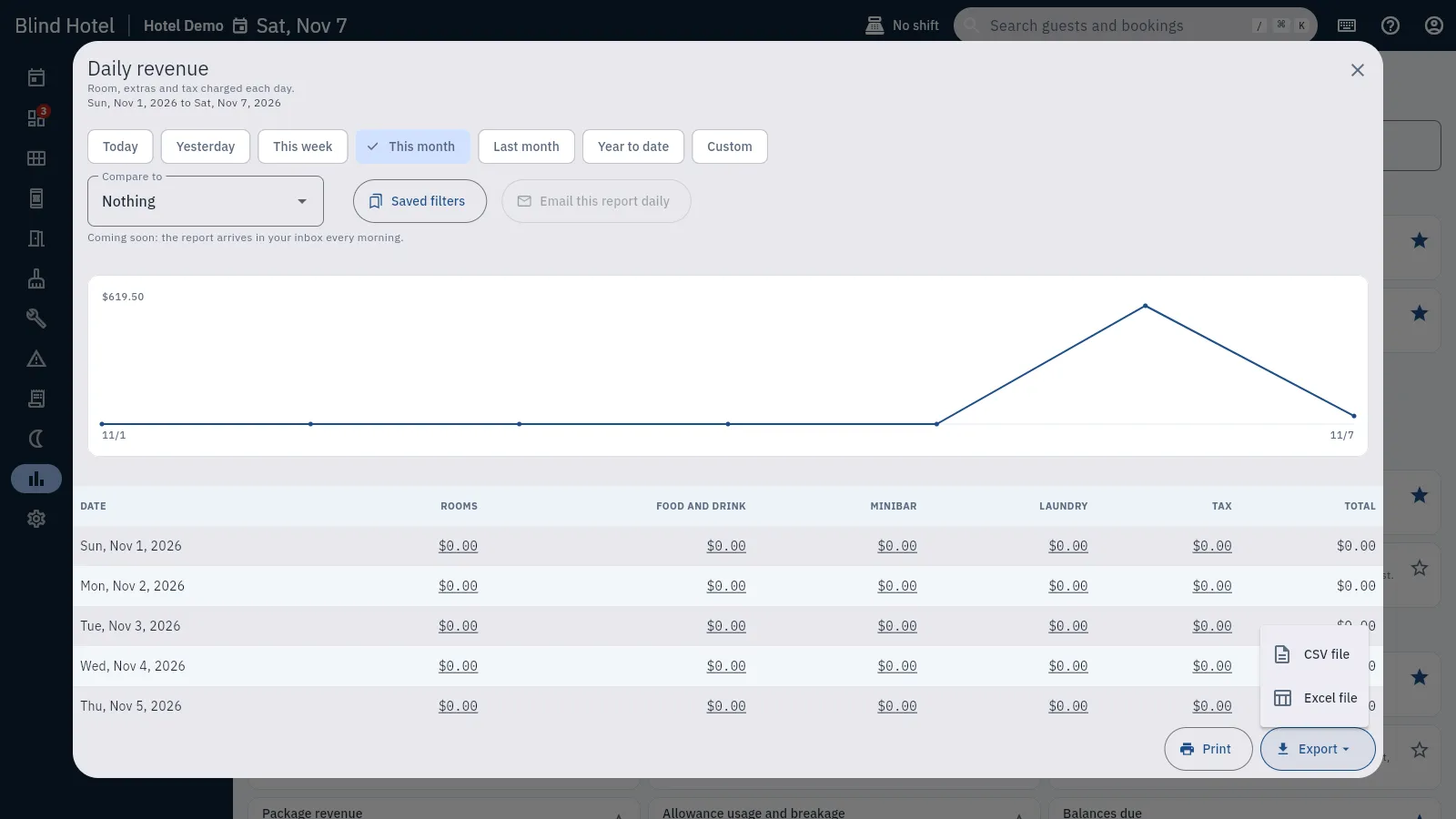
If you need other dates, tap a chip such as This week, or Custom to pick them. Tap Compare to to put the figures against another period. The report refreshes at once.
-
Read the report. Tap an underlined figure to see the postings it adds up.
-
For paper, tap Print. In Print this report, choose the language of the paper, then tap Print.
-
For a file, tap Export, then CSV file or Excel file. A line at the bottom says “Saved” and the file name.
-
Tap Close, or press Esc, to go back to the page.
Check your work
Section titled “Check your work”The line at the bottom of the preview says “Saved” with the file name, such as revenue-2026-10-01_2026-10-02.xlsx. Find the file in your browser’s downloads folder and open it. Its total must match the Total row you saw in the preview. A paper copy shows the same rows.
What next
Section titled “What next”- To keep a report close, tap its star on Reports, or save your dates under Saved filters. See Reports: the basics.
- To know every part of the window, see The report preview.
- To close a day and print its reports, see The night audit.
- If a file was saved by mistake, delete it from your downloads folder. Nothing changes in BlindHotel.
Considerations
Section titled “Considerations”- The file lands in your browser’s downloads folder. Chrome and Edge show it in the download bar or under the downloads icon. Click it there to open it in Excel. In LibreOffice or Numbers, open the file from the downloads folder. In Google Sheets, upload the file to Google Drive and open it there.
- If Excel opens the file in Protected View, a bar at the top asks you to click Enable Editing. Excel does this with any file that came from the internet. Click it to work on the file.
- The Excel file is a real .xlsx file. Numbers are numbers, so you can sort and add them up. Money has the hotel’s currency format and dates are real dates. The first row is bold and is always in view when you scroll, and the columns are already sized. The top three lines say the report’s name, the hotel with the filters used, and when the file was made.
- The paper, the CSV file and the Excel file hold the same rows for the same filters. The column names are in your language.
- The file name is the report and its dates, so two days of the same report do not overwrite each other.
- Print always asks the language of the paper first, so the paper can be in another language than your screen.