Process guide
Report an incident
Time3 minutes
- Owner
- Manager
- Front desk
- Night audit
- Housekeeping
- Maintenance
DifficultyEasy
Write down something that went wrong, so the hotel has a record of it and a manager can follow it up.
Purpose
Section titled “Purpose”Keep a clear record of a complaint, an accident, damage, noise or a lost thing, while it is fresh. A manager reads it and signs it off.
Ingredients
Section titled “Ingredients”- Permissions: any of the roles above. The accountant cannot log incidents.
- Information: what happened, roughly when and where, what was done, and who took part.
- State: none. Log it right after it happens, or at the end of your shift.
Expected result
Section titled “Expected result”A message says “Incident #4 logged.” and the incident is in the log under Open, waiting for a manager’s sign-off.
-
Open Incidents in the menu. On a phone, tap More first. A housekeeper finds Log an incident on My day, under the rooms. On an issue in Maintenance it is under the issue, with its room already filled in.
-
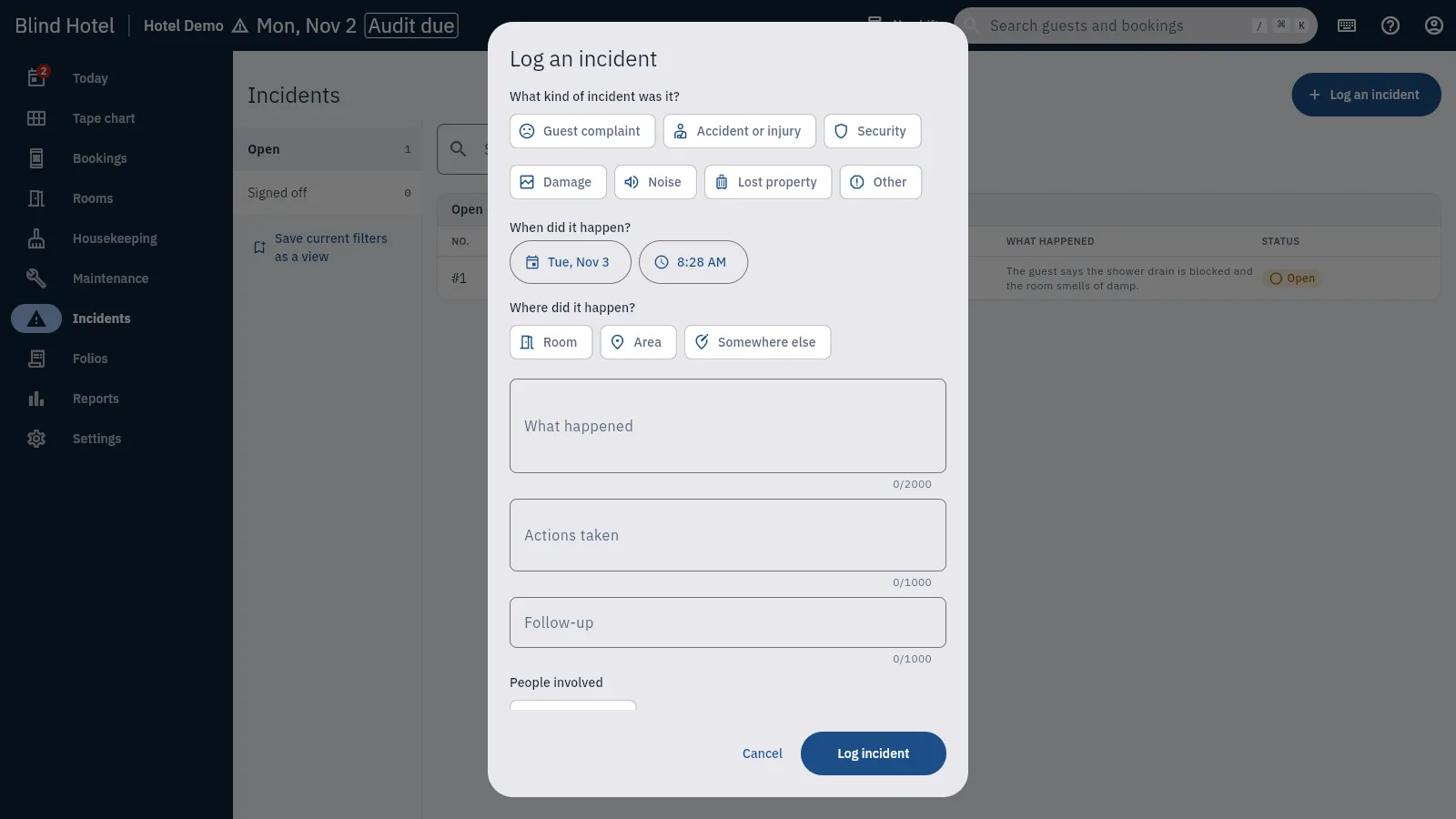
Tap Log an incident.
-
Under What kind of incident was it?, tap one: Guest complaint, Accident or injury, Security, Damage, Noise, Lost property or Other.
-
Under When did it happen?, set the day and the time. It cannot be in the future, or more than 30 days back.
-
Under Where did it happen?, choose Room, Area or Somewhere else, then pick the room or the area, or write the Place.
-
Write What happened. Say it as it happened, in a few lines.
-
If you can, fill in Actions taken and Follow-up. Follow-up is what is still to be done, and by whom.
-
To add the people involved, tap Add a person. Choose Guest, Staff or Someone else, find or name the person, add Their part (optional) and tap Add.
-
Tap Log incident.
Check your work
Section titled “Check your work”The message gives the incident number. Open Incidents: the incident is under Open, with the kind, the time and the place you gave. If you can manage incidents, its Manager sign-off card says “Waiting for a manager to sign it off.”
What next
Section titled “What next”- Until it is signed off, you can open your incident and tap Edit to fix it.
- A manager or the owner opens it and taps Sign off, and can add a note. That closes the incident, but it stays in the log. Reopen brings it back if it needs more work.
- If something is broken, also tap Report an issue in Maintenance. See Maintenance.
- Every button of the log is in The Incidents screen.
Considerations
Section titled “Considerations”- Only the kind and What happened are needed. The rest helps the manager.
- If you can log incidents but not manage them, you see only the ones you logged.
- An open Accident or injury or Security incident also shows on Property status until a manager signs it off.
- If the internet is down, write the incident on paper and log it afterwards. See If the internet is down.